
Job & Request Statuses
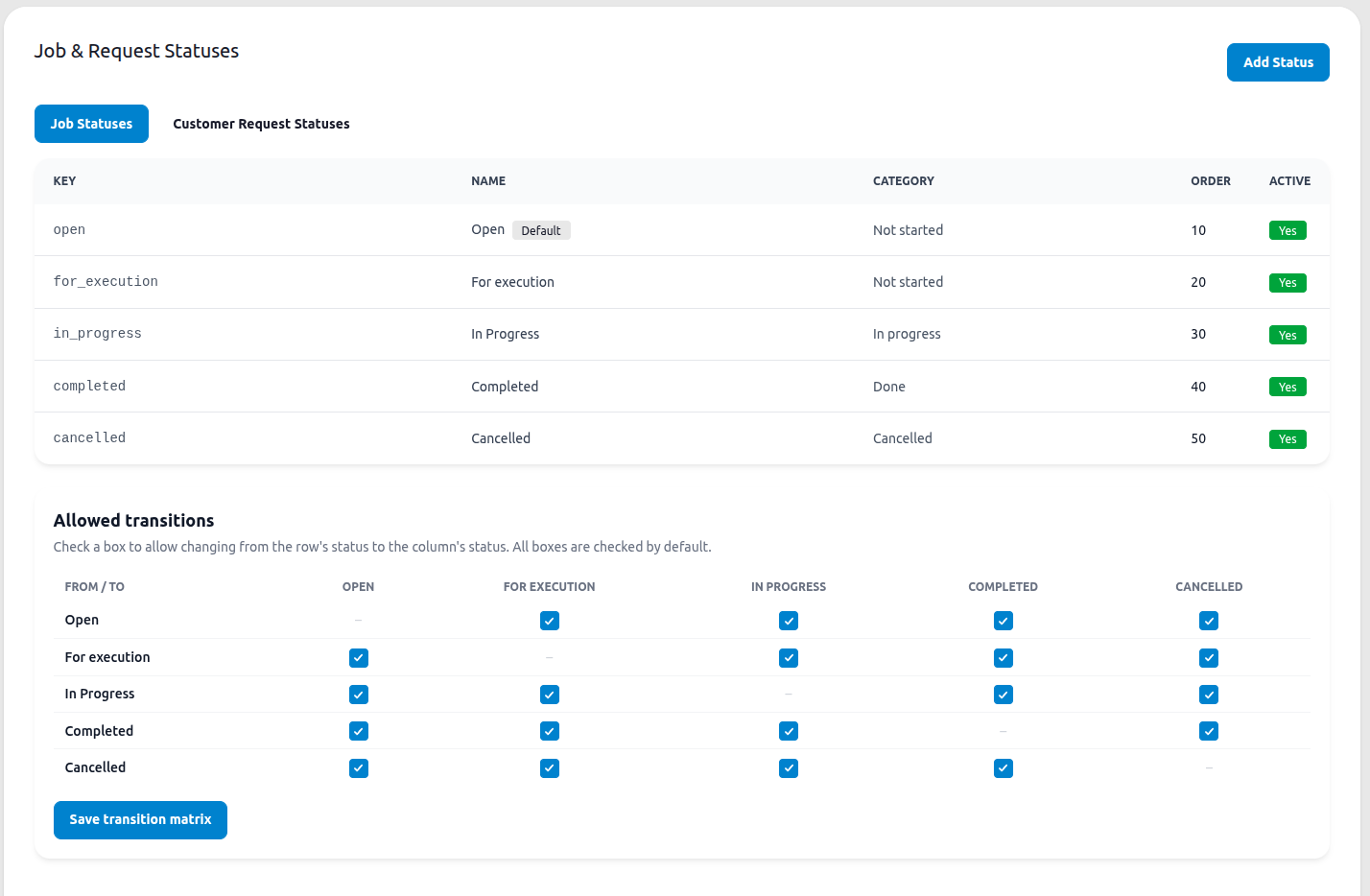
Job statuses and customer request statuses are configured here, in one place, by company admins. Changes made on this page apply company-wide across every job and every customer request.
The page has two tabs, Job Statuses and Customer Request Statuses. Each is configured independently, they don’t share the same list, but both work the same way.
Status fields
Section titled “Status fields”Each status has:
| Field | Description |
|---|---|
| Key | A stable, unchangeable identifier stored on the record (e.g. for_execution) |
| Name | The display name shown in the app (e.g. “For execution”) |
| Category | Groups the status for reporting: Not started, In progress, Done, or Cancelled |
| Color | Optional. A short color name or hex code used for badges |
| Order | Controls the left-to-right position of the status column |
| Active | Whether the status is currently in use. Inactive statuses are hidden from new records but preserved on existing ones |
Default statuses
Section titled “Default statuses”Job statuses: Open, For execution, In Progress, Completed, Cancelled.
Customer request statuses: New, Planned, Assigned, In progress, Completed, Cancelled.
Adding a status
Section titled “Adding a status”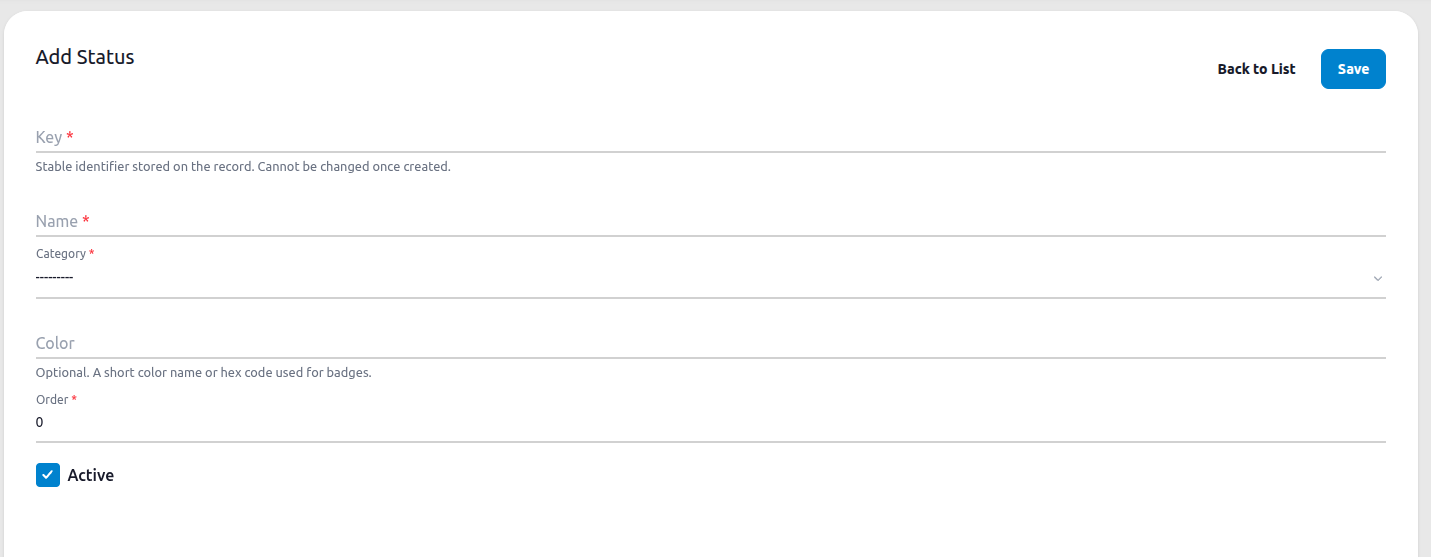
Click Add Status, then fill in:
- Key required, permanent once saved
- Name required
- Category required, pick from Not started / In progress / Done / Cancelled
- Color optional
- Order required, determines display position
- Active checked by default
Click Save.
Allowed transitions
Section titled “Allowed transitions”Below the status list, the Allowed transitions matrix controls which status changes are permitted. Each row is a “from” status, each column a “to” status. Check a box to allow moving from that row’s status to that column’s status. All boxes are checked by default, meaning any status can move to any other.
Restricting transitions here affects both the Kanban drag-and-drop behavior and the Status dropdown, on jobs and on customer requests: only the allowed next statuses will be selectable.
Click Save transition matrix to apply your changes.
Where these statuses are used
Section titled “Where these statuses are used”- Jobs the Kanban board and Calendar views use these statuses as columns. See Calendar.
- Customer Requests the request status field uses the Customer Request Statuses list. See Customer Requests.