
Reports
Reports generate printable PDF documents from live job and work log data. AMPER Flow includes a weekly timesheet report accessible from the Reports section, and two job-level reports — Time & Materials and Project Report — available directly from the Jobs list.
Timesheet Report
Section titled “Timesheet Report”The timesheet report produces a weekly summary of hours worked by a single employee, broken down by job and day.
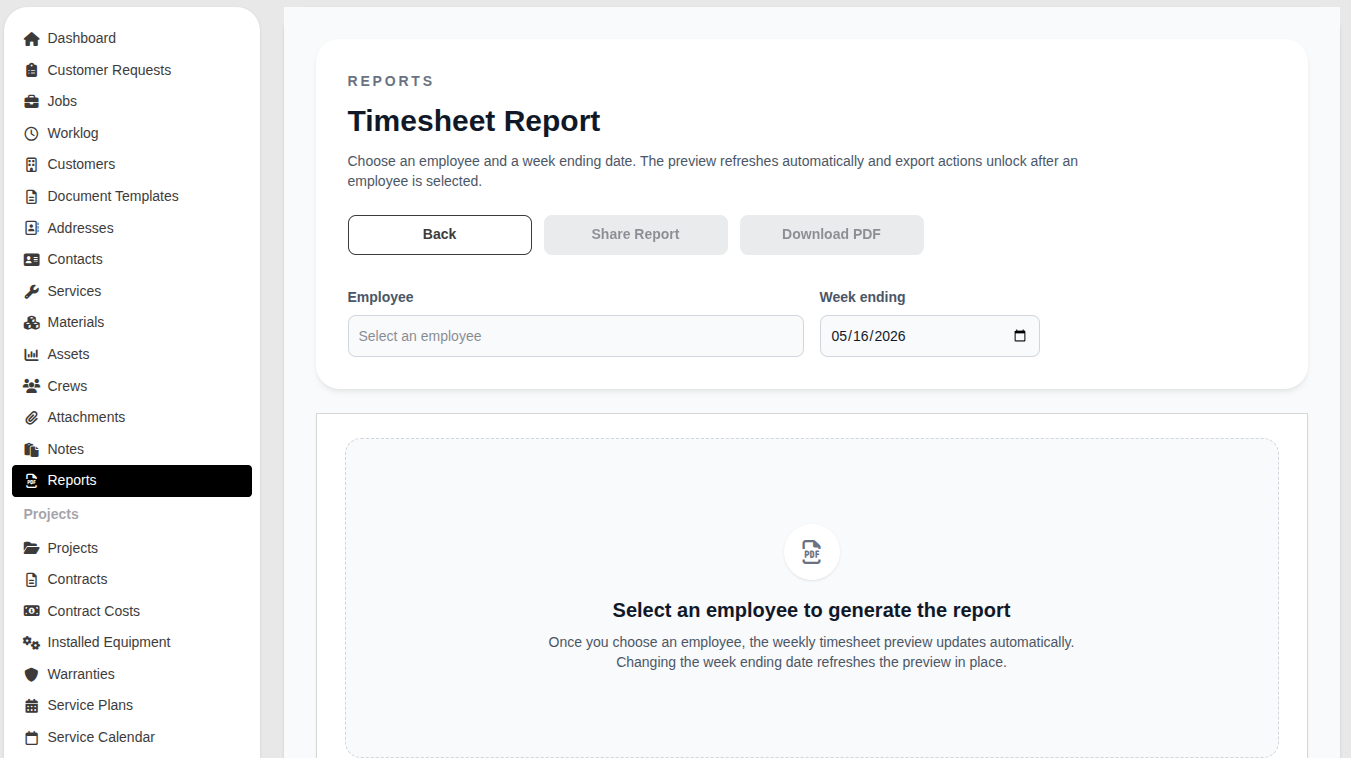
To generate a timesheet:
- Go to Reports in the main navigation.
- Click Open report on the Timesheet Report card.
- Select an employee from the Employee field.
- Set the Week ending date (defaults to the end of the current week).
- The preview refreshes automatically once an employee is selected.
- Click Download PDF to export, or Share Report to generate a shareable link.
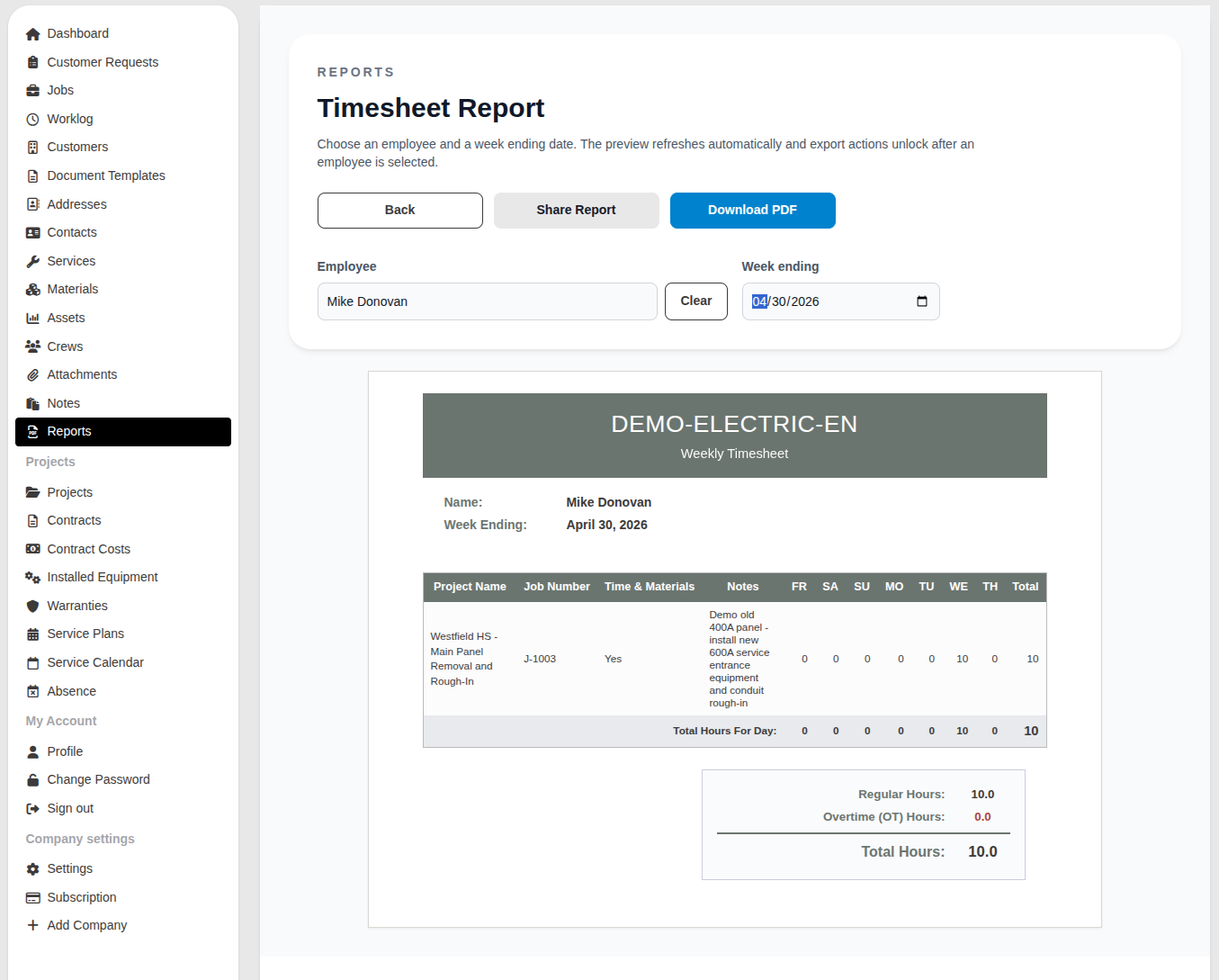
What the timesheet contains
Section titled “What the timesheet contains”| Column | Description |
|---|---|
| Project Name | The project the job belongs to, if any |
| Job Number | The job reference number |
| Time & Materials | Notes or description from the work log entry |
| SU / MO / TU / WE / TH / FR / SA | Hours logged on each day of the week |
| Total | Total hours for that job across the week |
The summary at the bottom shows Regular Hours, Overtime (OT) Hours, and Total Hours for the selected employee and week.
Overtime is calculated based on hours worked outside the standard schedule defined in company settings.
Job Reports
Section titled “Job Reports”Two additional reports are generated directly from the Jobs list and cover one or more selected jobs over a custom date range. See Job Reports for full details.