
Jobs
A job is a work order — a piece of work that needs to be done for a customer. It could be a scheduled maintenance visit, a repair call, an inspection, or any other service task.
Jobs are the operational core of AMPER Flow. Customers, projects, contracts, installed equipment, assets, materials, crews, and technicians all connect through jobs.
Job list
Section titled “Job list”The Jobs list shows all jobs with columns for name, customer, project, scheduled date, status, and priority. Jobs can be filtered by customer tag and by whether they were created by the current user.
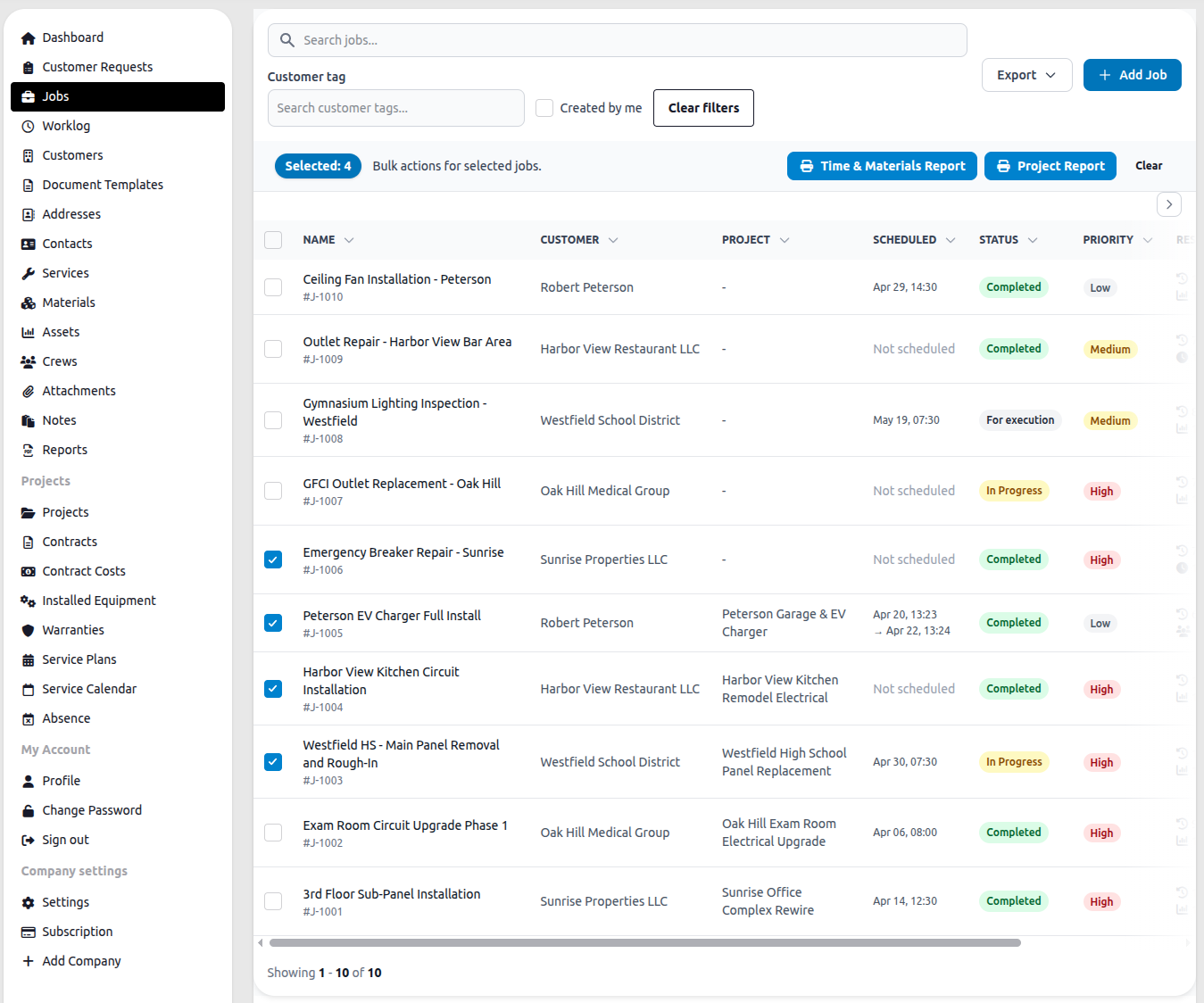
Selecting one or more jobs with the checkboxes reveals bulk actions: Time & Materials Report and Project Report. See Job Reports for details on these.
The Export button downloads the current filtered list. + Add Job opens a new job form.
Job statuses
Section titled “Job statuses”| Status | Meaning |
|---|---|
| Open | Created but not yet assigned or started |
| For execution | Ready to be carried out |
| In progress | Work is currently underway |
| Completed | The job has been finished |
| Cancelled | The job will not be carried out |
Company admins can customize this list in Company Settings → Job & Request Statuses: renaming statuses, adding new ones, deactivating ones you don’t use, and controlling which status can move to which other status (by default, any status can move to any other). Each status belongs to one of four categories — Not started, In progress, Done, Cancelled — which determines its color and its locking behavior (see Locked jobs below). The “Open” status can’t be deleted since it’s the default for new jobs; other statuses can be deleted, and any jobs using a deleted status are migrated to a replacement status you choose.
Inside a job
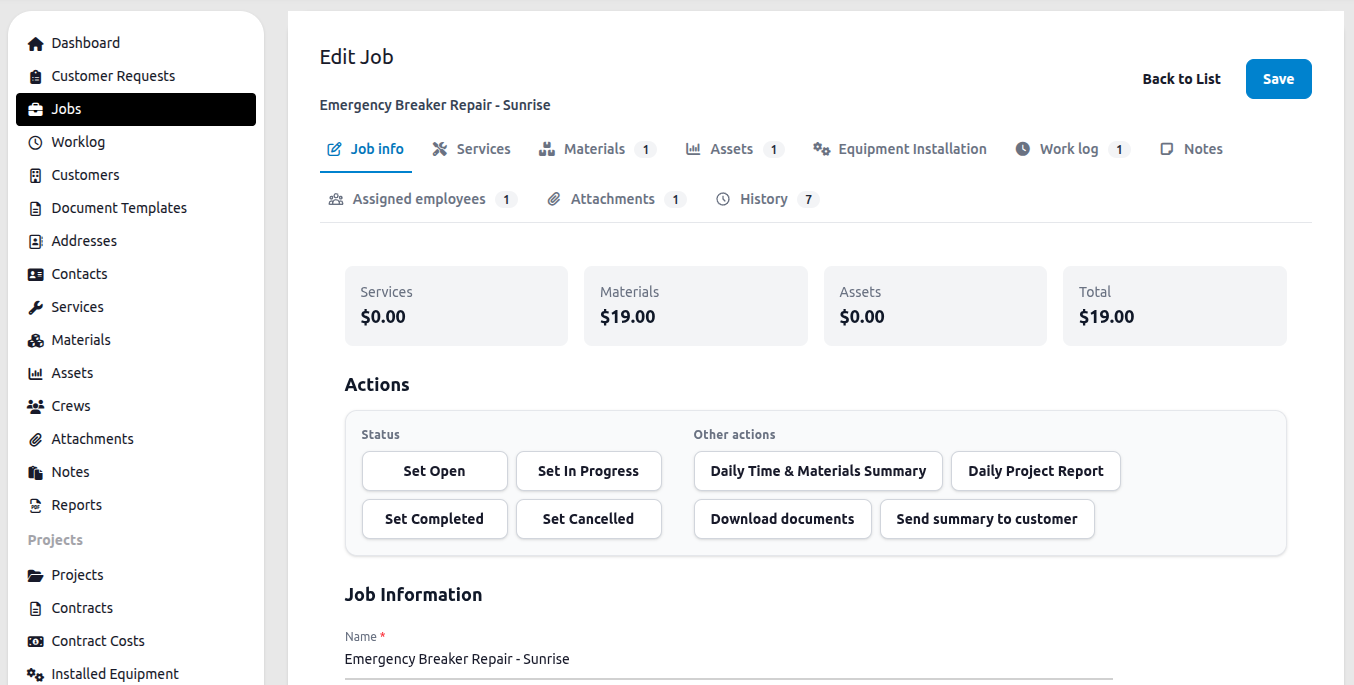
Section titled “Inside a job”Opening a job shows a cost summary bar at the top — Services, Materials, Assets, and Total — calculated from everything logged against the job.
Below that is the Actions panel, which provides status controls and additional actions:
| Action | What it does |
|---|---|
| Set Open / In Progress / Completed / Cancelled | Changes the job status directly |
| Daily Time & Materials Summary | Generates a T&M summary report for this job |
| Daily Project Report | Generates a project report for this job |
| Download documents | Downloads all documents attached to the job |
| Send summary to customer | Sends a job summary to the customer by email |
Beyond the actions above, a job record can generate four kinds of downloadable reports: Time & Materials (labor, parts, and costs for billing on a time-and-materials basis), Daily (everything logged against the job for a single day), Total (everything logged against the job across its whole lifetime), and Summary (an overview of the job, its services, materials, and costs over an optional date range). Each can be previewed, downloaded as a PDF, or emailed directly to recipients (defaulting to the customer’s email addresses) — emailing a report also attaches a copy of the PDF to the job and logs the send in its History tab. PDF downloads and email sends are subject to your plan’s export limits; previews are always available. For consolidated reports across several jobs at once, see Job Reports.
Job tabs
Section titled “Job tabs”The job is divided into tabs. The count shown on each tab reflects how many records are attached.
Job info — the core fields: name, description, job number, external job number, customer, priority, status, scheduled start/end, actual start/end, address, project, contract, contract cost, asset, and installed equipment.
Services — billable service items performed on this job. See Services.
Materials — parts and materials used. See Managing Materials.
Assets — equipment and tools deployed on this job.
Equipment Installation — installed equipment devices linked to this job. Attaching a device whose project or site doesn’t match the job warns you and offers to relink the device to the job’s project and site. A device can also be attached to a job that has no project at all. If a device has an inspection or checklist form assigned to it (from the Projects module), that form can be filled in here per device — or, when several devices on the job share the same form, filled once and applied to the whole group at once (see below).
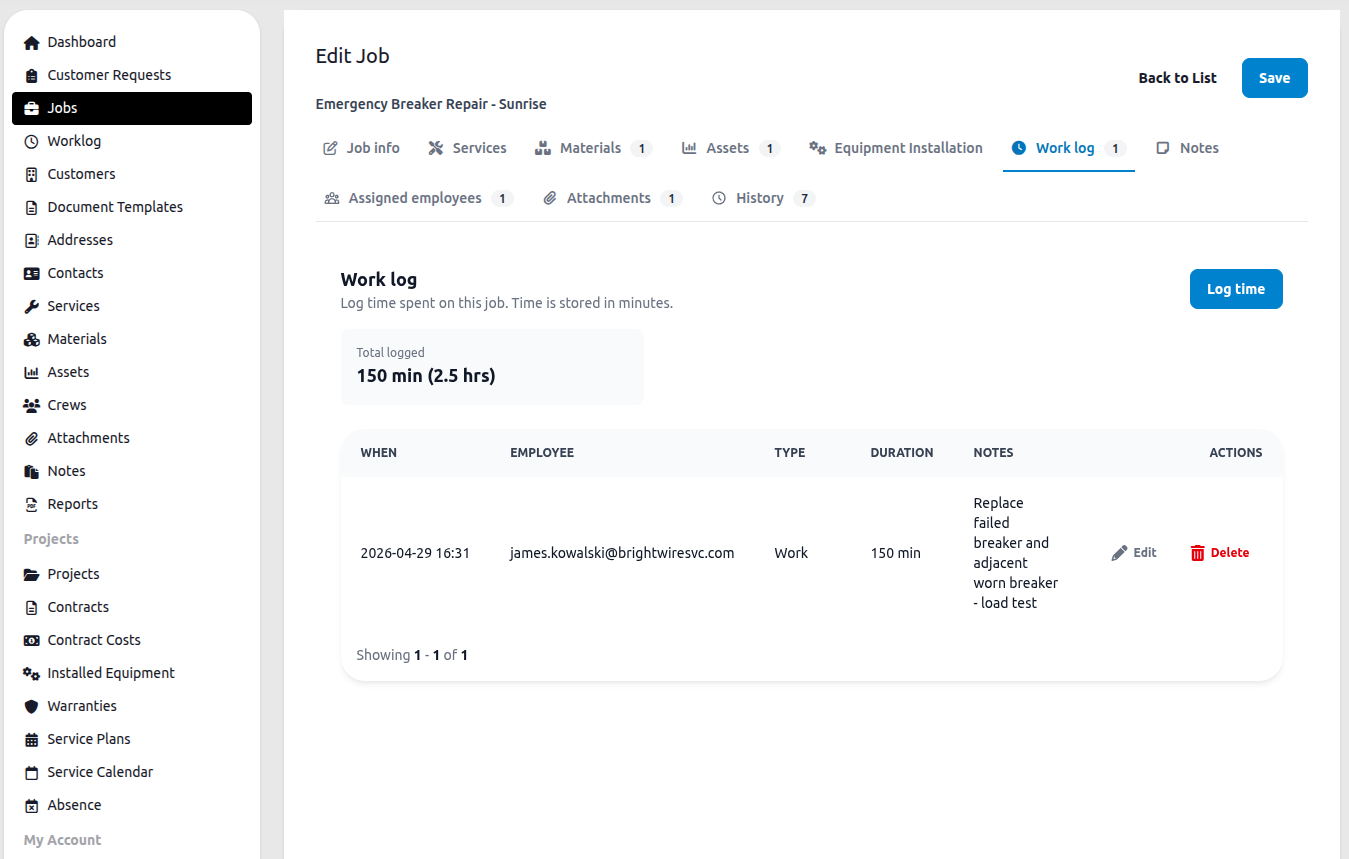
Work log — time entries for this job. Each entry shows the date, employee, type, duration in minutes, and notes. The tab header shows total logged time. Click Log time to add an entry. See Work Log.
Notes — free-form internal notes attached to this job. See Notes.
Assigned employees — individual employees assigned directly to the job, separate from crew assignments.
Attachments — files attached to this job: photos, PDFs, signed documents. See Attachments.
History — a full audit log of every change made to the job, including who made the change and when, plus a record of any reports emailed from this job.
Filling equipment forms in bulk
Section titled “Filling equipment forms in bulk”When multiple devices attached to a job share the same equipment form (e.g. the same inspection checklist), the Equipment Installation tab lets you fill that form once and apply the answers to some or all of those devices at once, instead of repeating the same entries device by device. You choose which fields to apply, which devices to apply them to, and one of three rules for devices that already have answers: overwrite everything, skip devices that are already filled in, or only fill in fields that are still empty. File attachments are always entered per device and are never copied across the group. Answers written this way are marked in the audit trail as coming from a group fill until someone edits that device’s form individually.
Who can see which jobs
Section titled “Who can see which jobs”Dispatchers see all jobs. Employees see only jobs where they are the creator, the assigned user, a member of an assigned crew, or directly assigned as an employee.
Locked jobs
Section titled “Locked jobs”Once a job’s status is in the Done or Cancelled category (Completed or Cancelled, by default), employees can no longer edit the job, its description, or its resources — including adding or editing work log entries. Dispatchers can still make changes and can still move a locked job to another allowed status (for example, reopening a cancelled job) if a transition to that status is configured.
Sections in this chapter
Section titled “Sections in this chapter”- Customer Requests — service requests from customers that can be converted to jobs
- Services — the service catalog used when adding services to jobs
- Work Log — recording time worked on a job
- Job Reports — generating T&M and project reports from selected jobs